IT Self-Service Portal
A unified IT home that made support easier, scaled globally, and elevated the employee experience.
Role
UX design lead
Project duration
November 2023 - January 2025 (Shipped in April 2024)
Result
Our redesign transformed IT support efficiency—achieving 83% self-service resolution, 20% faster triage, and near-perfect customer satisfaction.
Background
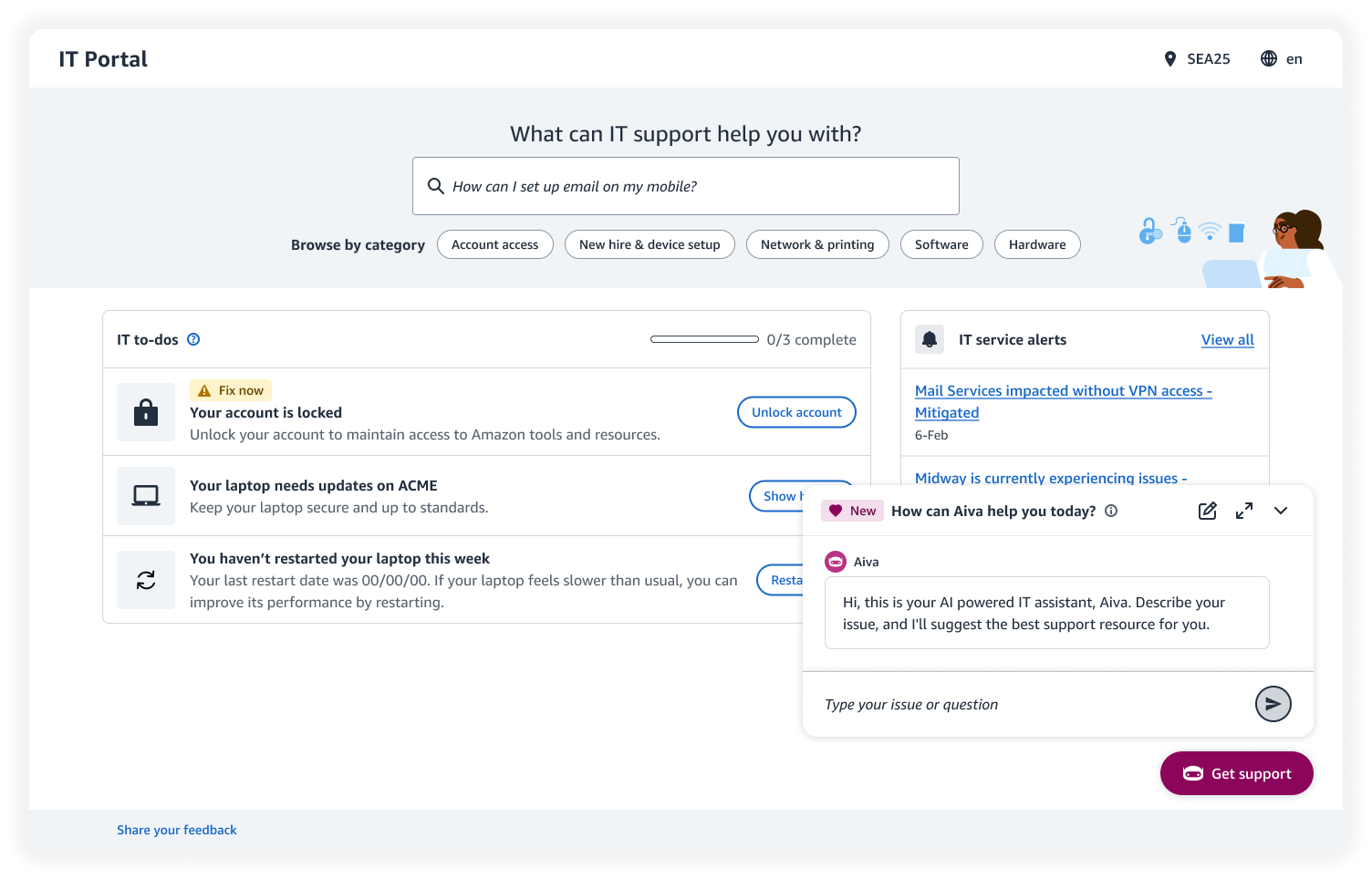
Amazon employees often face IT issues that disrupt their work, but the self-service portal wasn’t helping them resolve problems effectively.
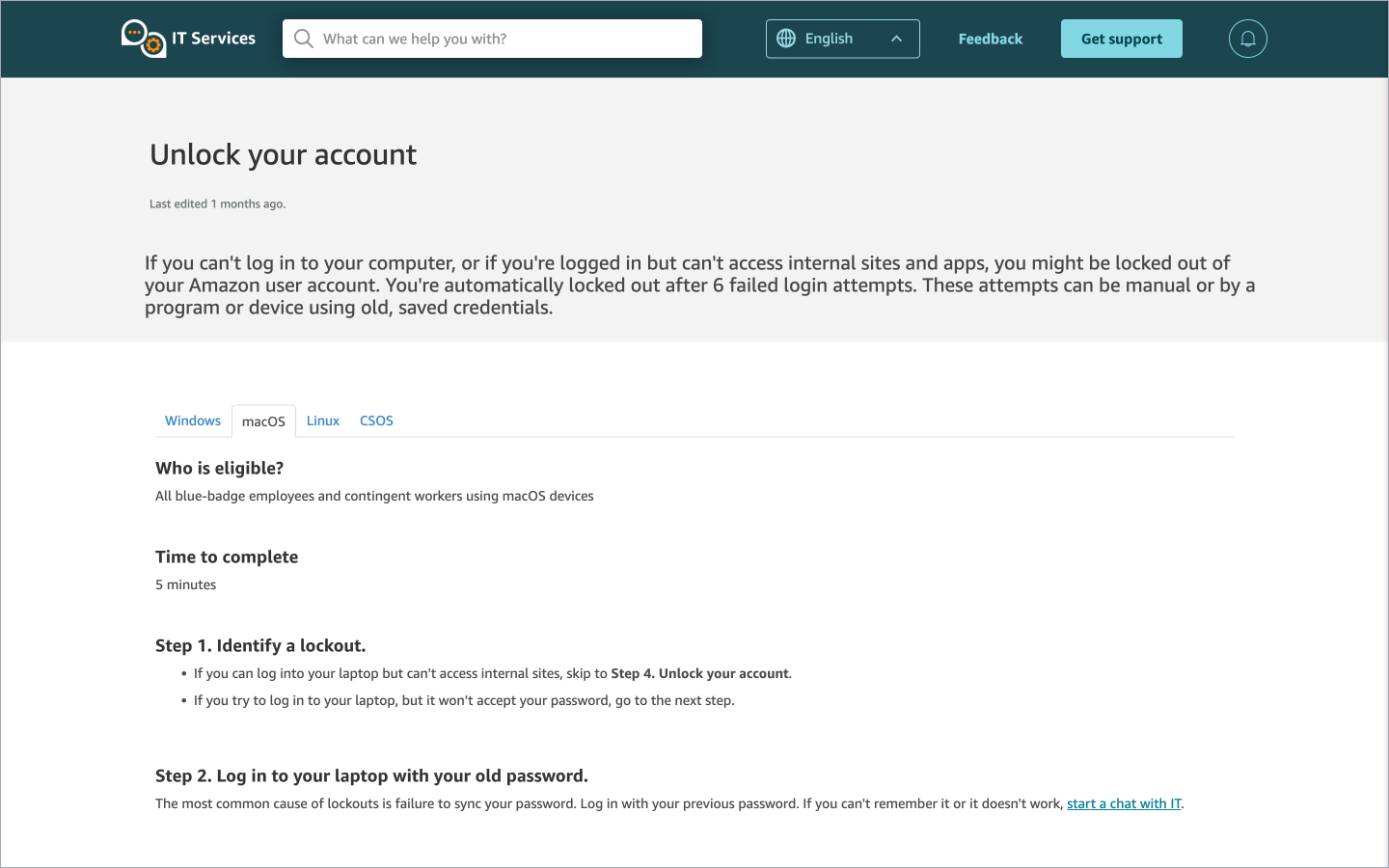
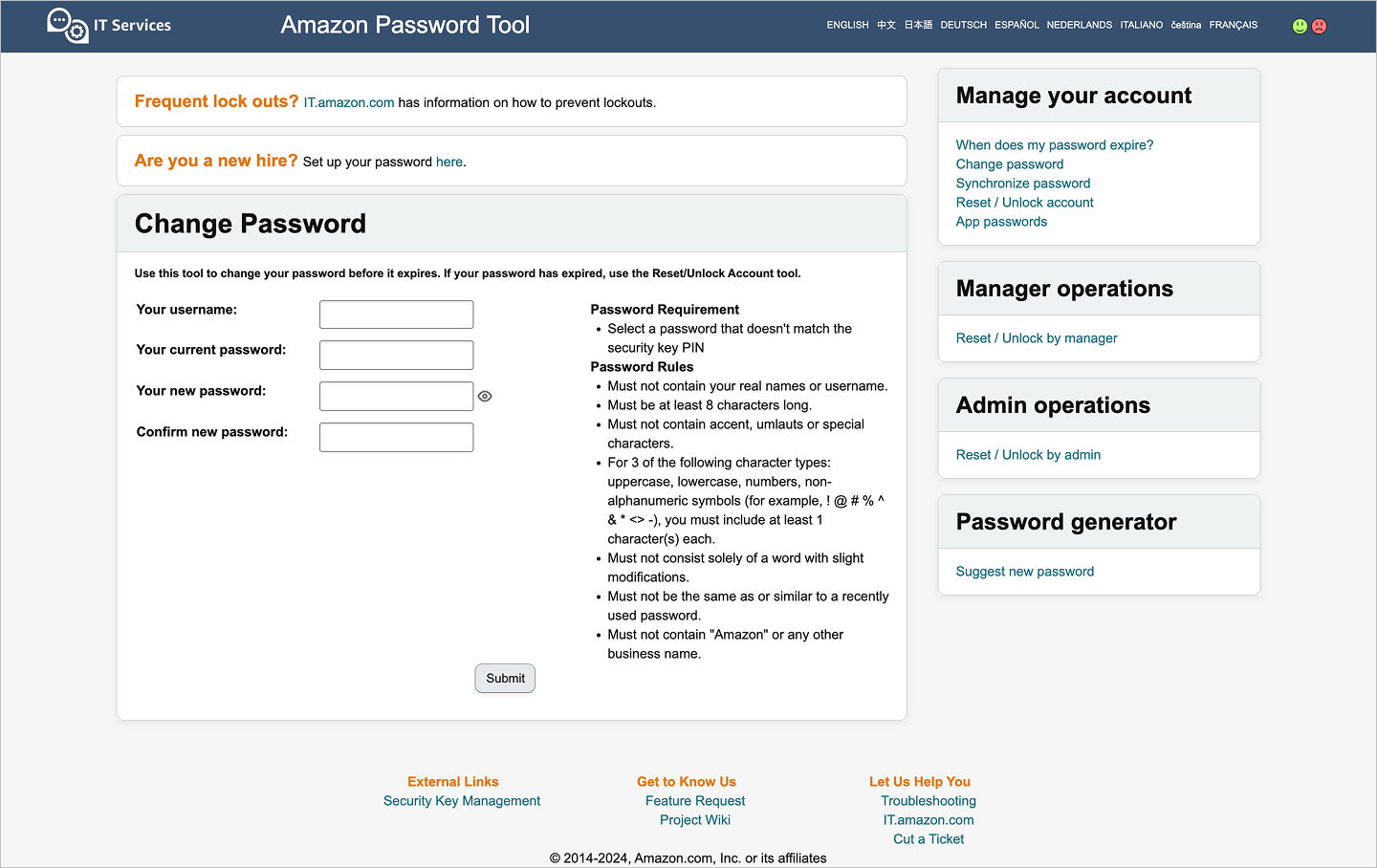
Limited user understanding led to generic, non personalized content, and inconsistent design patterns made the experience feel fragmented.
As employees returned onsite, the disconnect between online and in-person IT made it unclear which channel to use and what onsite services were available.
Problem
“How might we empower global Amazonians to resolve IT issues independently despite their diverse needs?”
“How might we create a unified, personalized IT experience that feels consistent across online and onsite support?”
Goal
Help users efficiently troubleshoot and solve their IT issues while promoting self-service capabilities.
Users
We serve 350,000 global corporate Amazon employees seeking for IT help. To deeply understand their needs, we interviewed 33 customers and collected survey responses from 128 employees. Based on the diverging needs, I segmented the users into following groups:
Technical vs non-technical
Beyond technical proficiency, role type also shaped support preferences. Technical users were more comfortable troubleshooting on their own, while non-technical users preferred clearer guidance and human support.
New hire vs tenured
Tenure shapes IT expectations. New hires need step-by-step setup help; experienced employees want quick, targeted support.
Working in office vs from home
Employees working from home lack easy access to in-office IT, while those onsite often prefer in-person support over other channels.
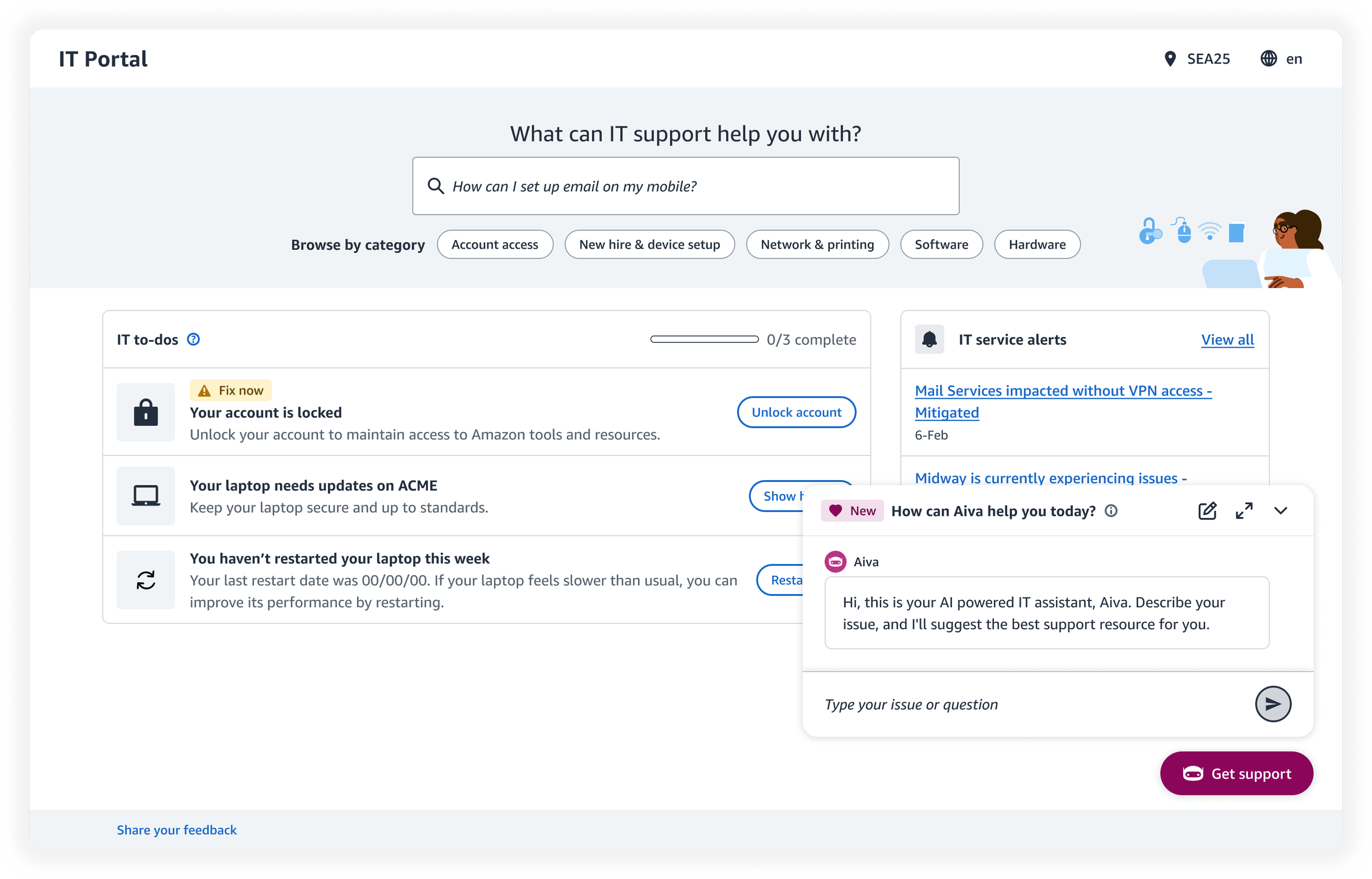
The new IT self service portal
Strategies & approach
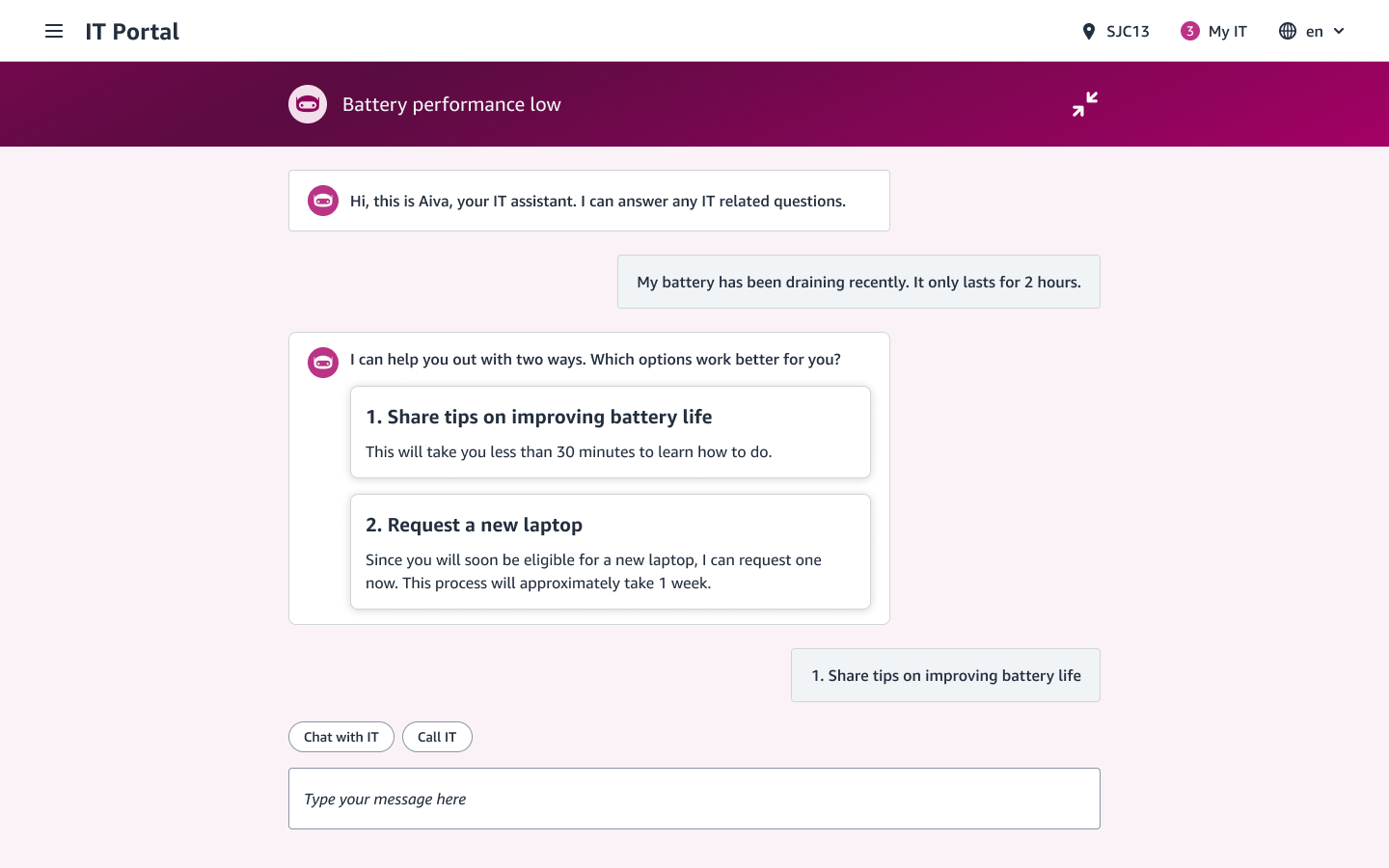
AI-powered experience
With the development of LLM, I defined customer touch points where Gen-AI can better serve users’ IT needs.
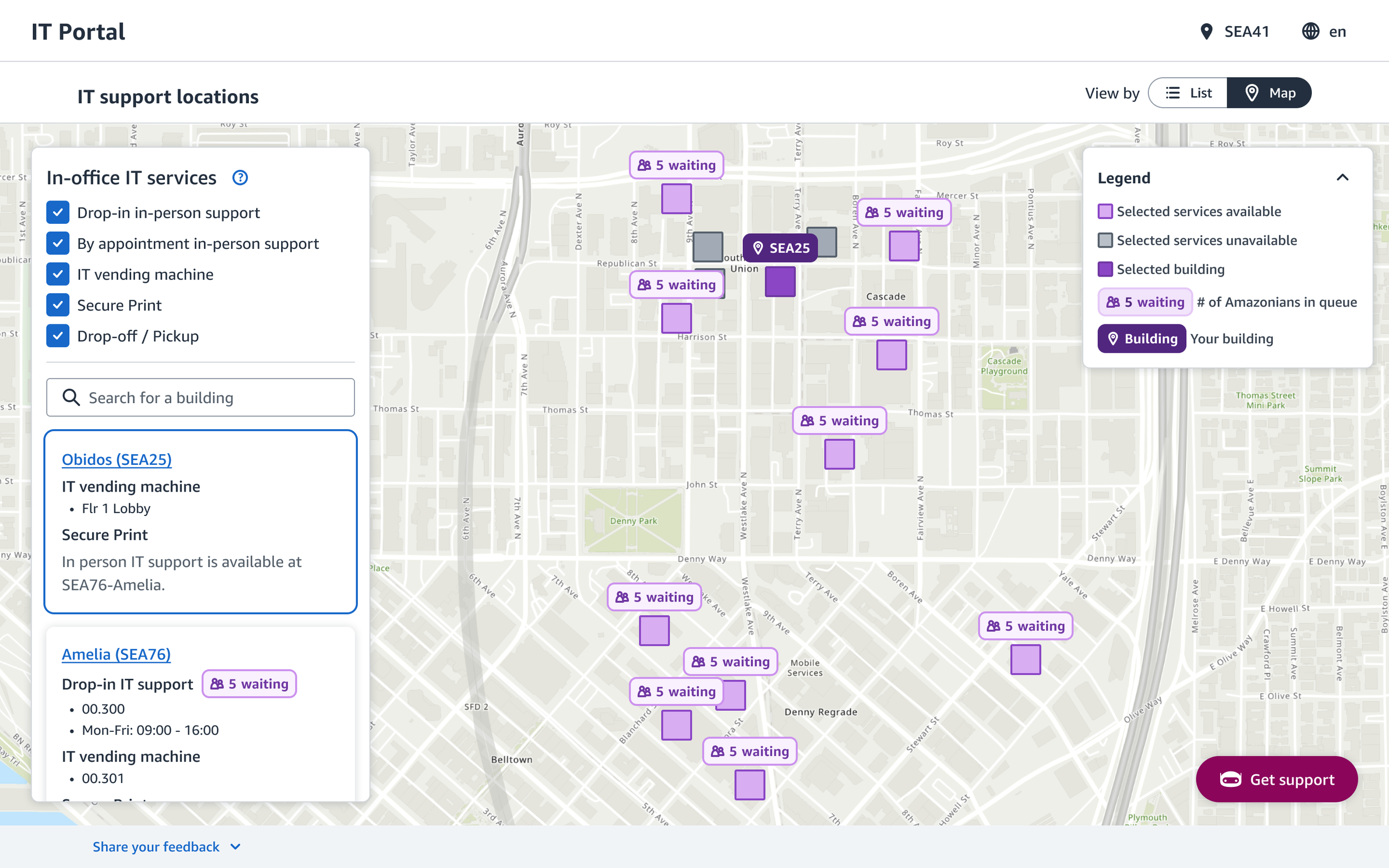
In-person IT support
As the company’s in-office work policy changes, I introduced new features for seamless in-person IT experience.
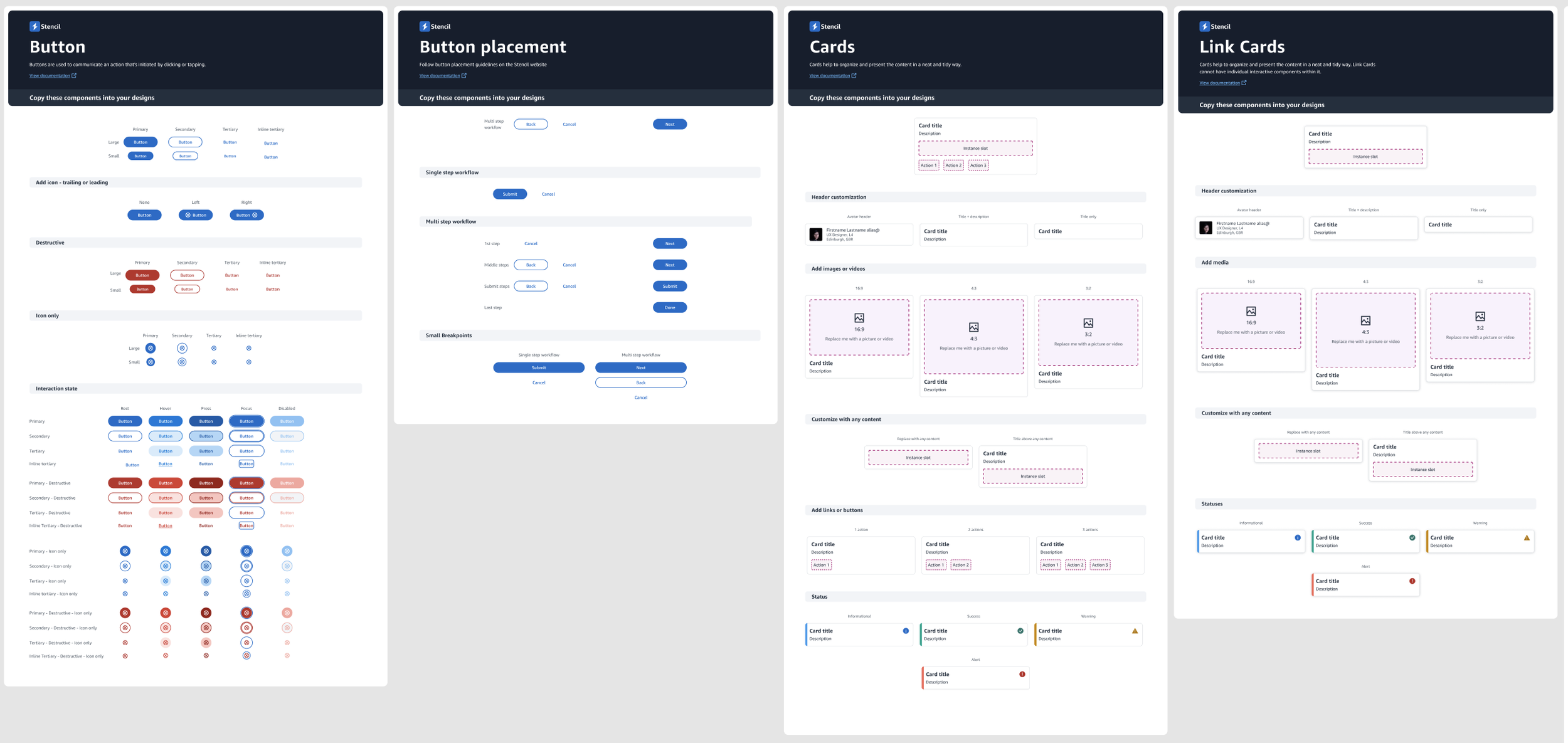
Introducing a design system
I pitched and got alignment on adopting a design system used by internal tools for consistency across internal tools.
Design consideration
Gen-AI chatbot
Aiva, Amazon IT’s Gen-AI chatbot, gives employees tailored answers to their IT issues. To promote self-service, I introduced human support options only after the AI’s first response, along with a recommended channel.
Gen AI design highlight 1Introducing with clarity and familiarity
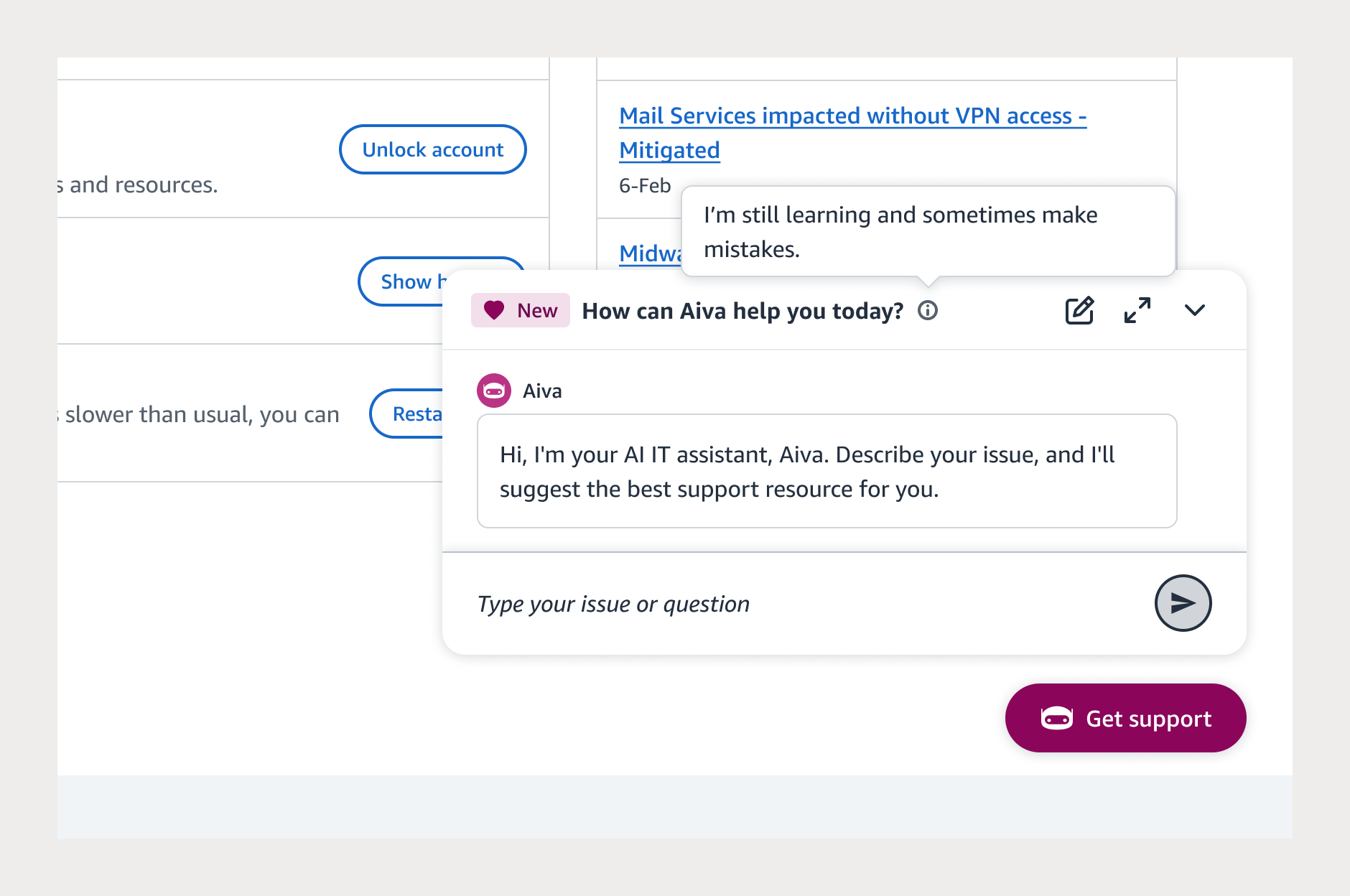
Launching Amazon’s first Gen-AI IT chatbot meant building trust from the start. I used clear microcopy to set expectations (“Describe your issue…” “This may take ~15 seconds”), making the experience approachable for users with varying technical proficiency. I placed the chatbot in the familiar bottom right pattern, informed by competitive analysis, to make it easy to find without interrupting workflow.
Gen AI design highlight 2Reducing perceived latency
Early versions of the model averaged a 15-second delay. To reduce abandonment, I introduced streaming of response so users could see the response forming in real time. This significantly improved perceived speed and trust.
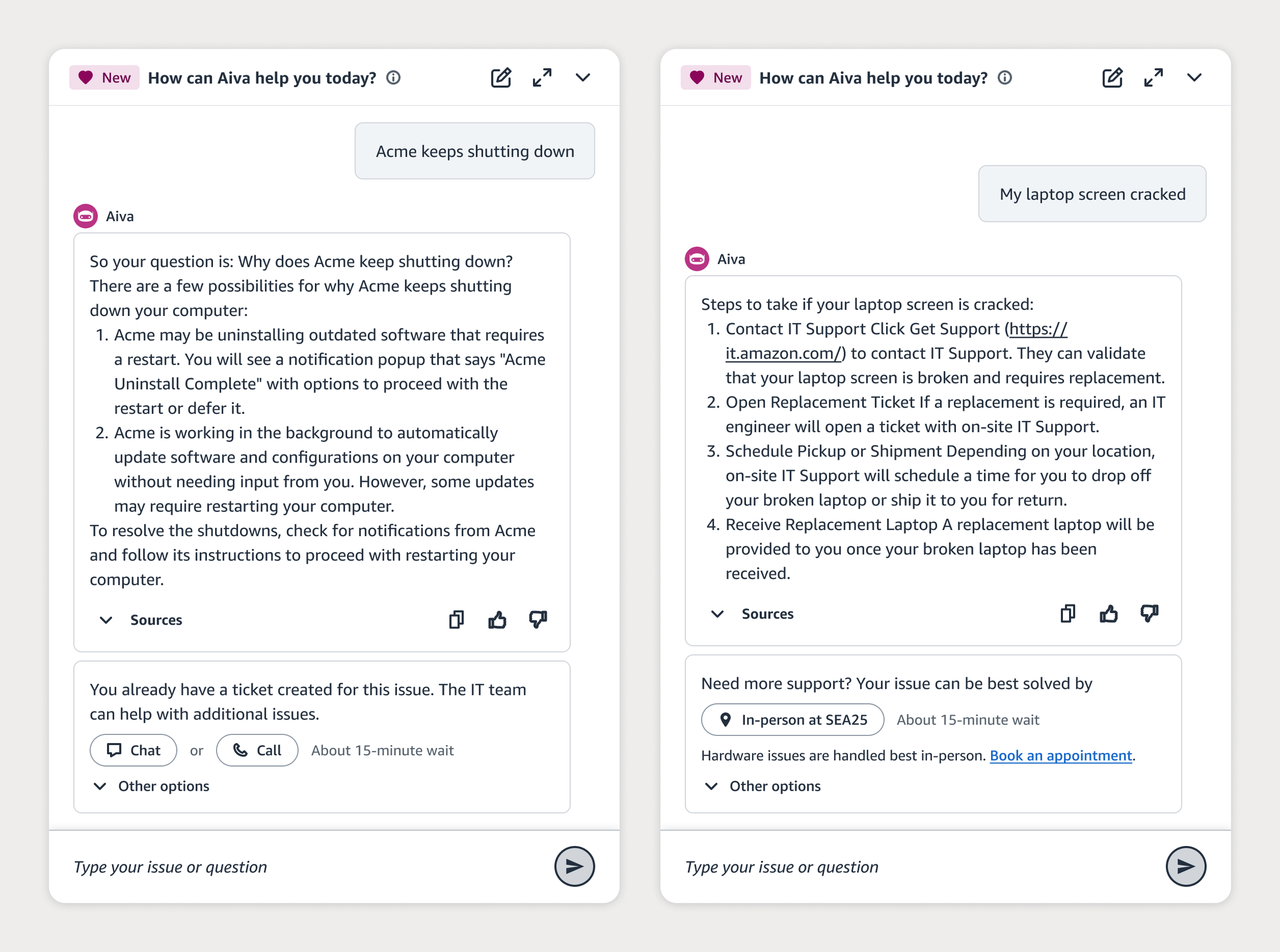
Gen AI design highlight 3Designing a smart handoff to humans
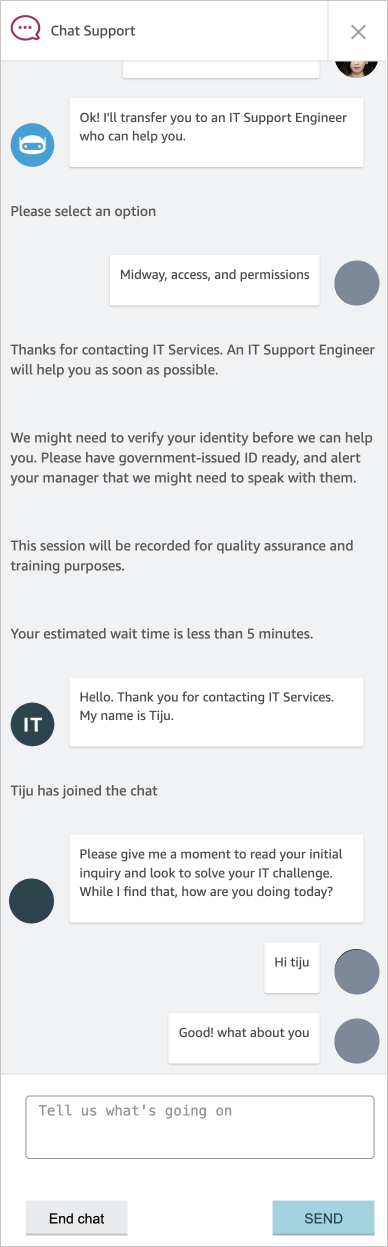
Research showed clear differences in channel preference (chat, call, in-person, ticket) and issue types. I designed a context-aware handoff system that recommends the most appropriate human support option, creating a hybrid experience: AI for speed, humans for empathy and complex issues.
In-office IT support
With employees returning onsite, in-person IT demand surged — yet the experience felt disconnected from the online portal and inconsistent across buildings. My strategy was to make in-office IT location-aware, predictable, and efficient, giving employees clear expectations while helping IT teams manage traffic across campus.
Personalized in-office IT experience
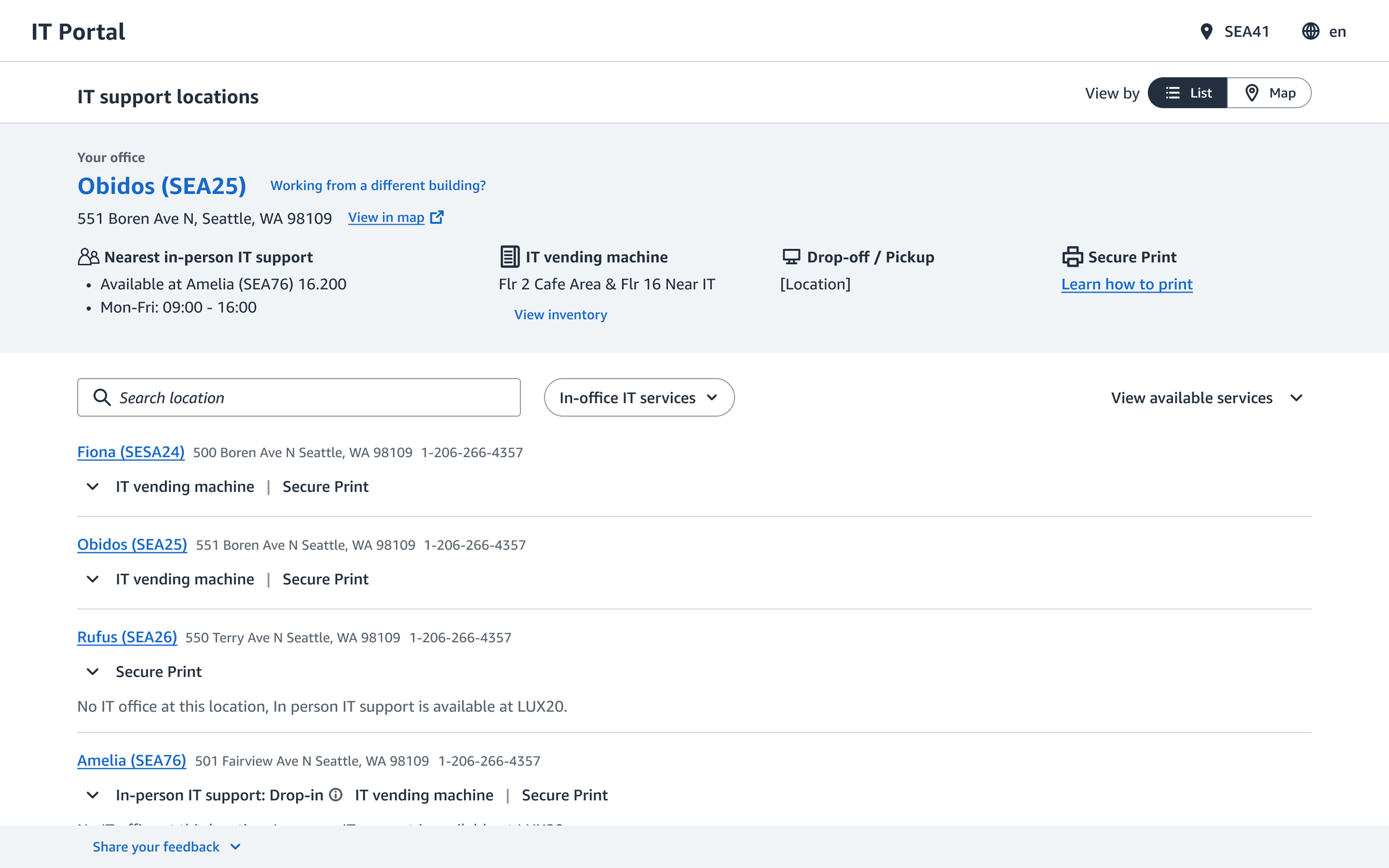
The previous in-office pages were generic and content heavy. From the research, I learned that users are not familiar with services offered in their office. I redesigned them to be location aware, showing the specific services available at each building. This gave users immediate clarity on their onsite options and supported the business goal of directing employees to the right support channel.
Real-time wait map
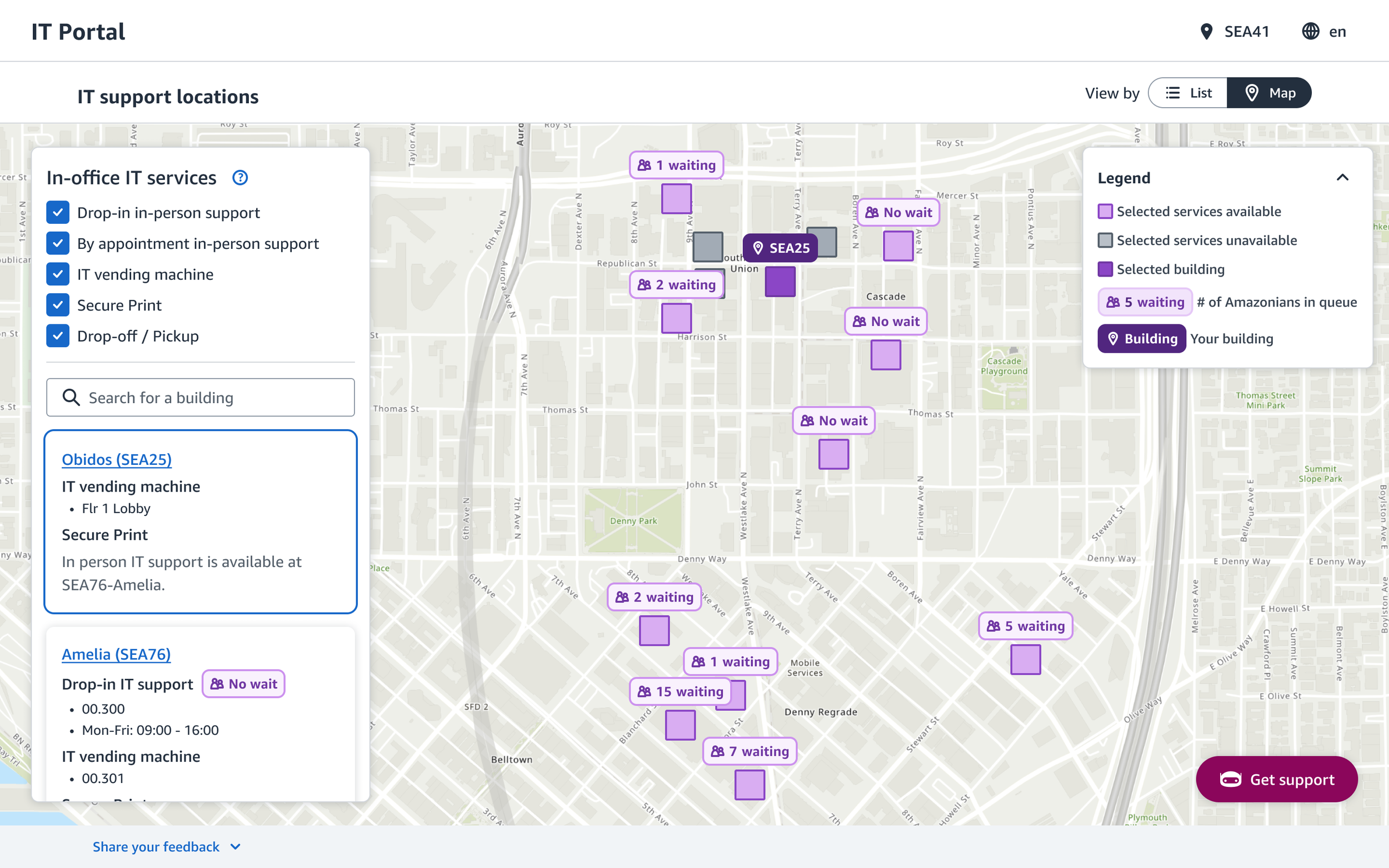
Large campuses often have multiple IT desks within walking distance, but users had no visibility into wait times. I designed a real-time wait map that shows current queues and lets employees join remotely. This reduced uncertainty for users and helped IT teams distribute foot traffic more effectively.
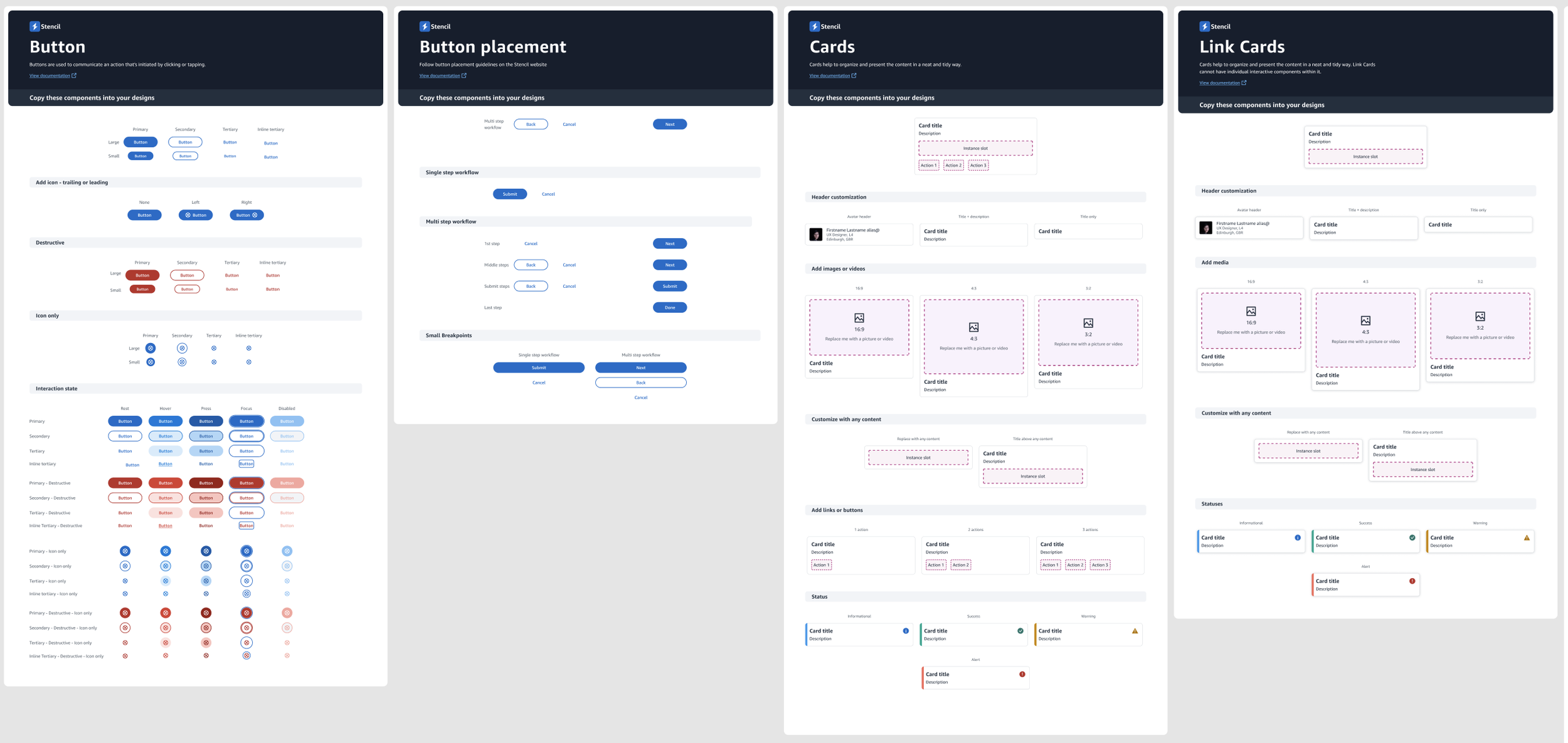
Introducing design system
When I first joined the IT team, there was no design system in place. It lead to inconsistent internal IT tool experiences. Users need to learn distinctive patterns and it builds up and overwhelms them. On the builder side, designers had to design one-off components and engineers had to implement each instance.
To deliver consistent and seamless internal tool experience and save builder time, I decided to adopt a well-established design system created by internal HR team. I successfully pitched and aligned the leadership team.
Impact
Contact deflection
Increased 57% → 83%
A significant operational win: more issues resolved independently, meaning less load on support queues and more time for IT to invest in long-term improvements.
Time to resolution
Dropped by 20%
By tightening the triage experience, we reduced unnecessary handoffs and helped employees return to work sooner, which is an organization-wide productivity gain.
Customer satisfaction
Increased 4.76 → 4.9/5.0
Clearer guidance, faster resolutions, and a more intuitive interface helped IT experience to feel more reassuring.